
Context that protects names and terms
Add owner notes for people, products, games, places, or specialized vocabulary. Captionate uses that context when refining obvious recognition errors.
AI subtitle generator
Generate subtitles from video or audio with a free online workflow. Captionate detects supported languages, creates readable timed captions, and keeps every word editable before you publish or export SRT.
Beyond transcription
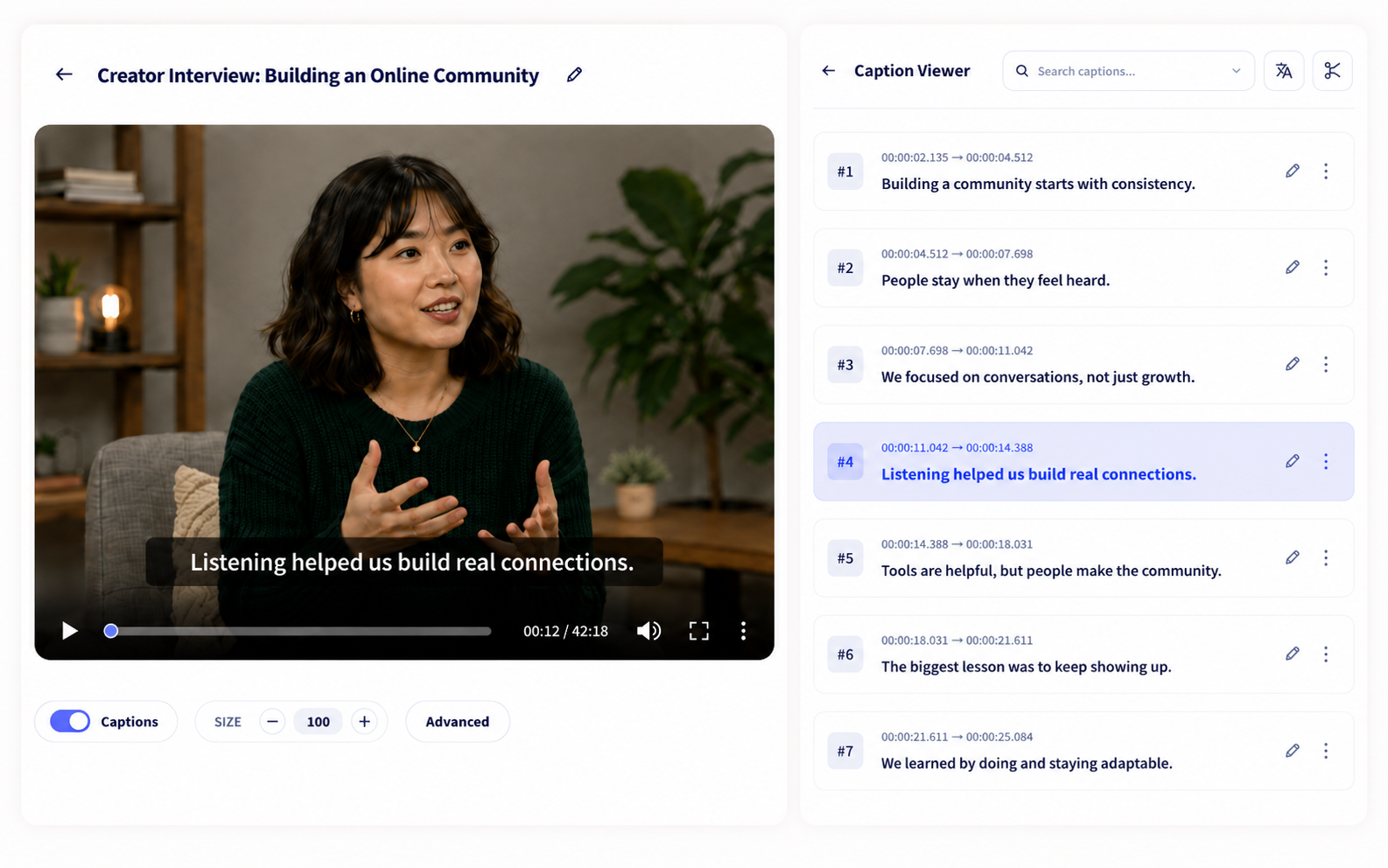
A raw transcript is not a finished subtitle track. This automatic subtitle generator combines recognition, context-aware refinement, readable segmentation, and word timing so the result is ready to review instead of rebuild.
Add owner notes for people, products, games, places, or specialized vocabulary. Captionate uses that context when refining obvious recognition errors.
Speaker changes, punctuation, and language-specific rules turn the transcript into caption units that are easier to read and edit.
Words remain connected to their timestamps, so text corrections and segment changes stay aligned with the media.
Three steps
Choose a video or audio file. Add optional context or limit generation to a selected time range.
Captionate detects the language, creates the timeline, and opens an editable caption version in your project.
Correct text, split or merge segments, translate, style, and export without recreating the caption track.
Review with control
The generated version opens in the same editor used for every later step. You can fix a single word, reshape a caption boundary, or create a translation while preserving the original project and timing.
Made for real media
Use a video subtitle generator for movies, episodes, or uploads, then adjust the look and publish a captioned MP4.
Generate captions for interviews while preserving changing speakers and turning long conversations into readable caption segments.
Use context notes to protect terminology, names, and concepts across a presentation.
Detect supported language changes without forcing the full transcript into one language.
Continue the workflow
FAQ
Upload video or audio, optionally add context or a time range, and start generation. Captionate detects the language and creates an editable, time-aligned subtitle track.
No. Supported languages are detected automatically, including language changes within multilingual media.
Yes. Edit individual words, split or merge segments, search the transcript, and adjust styling in the browser.
Yes. Captionate works as an audio-to-caption generator as well as a video subtitle generator. Upload a supported audio or video file, then review the timed caption track before exporting.
Export SRT, VTT, ASS, or TXT. You can also render the open caption version into an MP4 video.
Yes. Sign up to receive free credits and test Captionate's automatic subtitle generation.
Yes. Generate and edit the timed caption track online, then download it as an SRT subtitle file or choose VTT, ASS, or TXT.
Yes. Sign up to receive free credits, then use Captionate for movie dialogue, interviews, conversations, courses, creator videos, and supported multilingual media.
Captionate detects supported languages from the speech instead of requiring one language for the entire upload, then creates a timed caption track for review.
Yes. Supported language changes can remain attached to the relevant speech instead of forcing a multilingual conversation into one language.
Yes. Correct individual words, search the transcript, and split or merge segments while the captions remain connected to the interview timing.
Sign up to receive free credits and try Captionate.